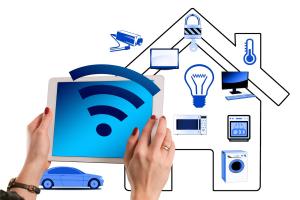
Wifi smart bulbs are all about convenience and control. These little gadgets connect to your home Wi-Fi network, letting you manage your lights from anywhere. It all starts with a simple installation. Just screw in the bulb, download the accompanying app, and follow the setup prompts. In minutes, you’re good to go!
Once connected, you can control your smart bulbs using your smartphone. Want to dim the lights while binge-watching your favorite show? No problem! Just slide your finger on the app. You can even change colors or set schedules, so your lights turn on when you get home from work or automatically dim at bedtime. Talk about making life easier!
Most Wifi smart bulbs also work with voice assistants like Alexa or Google Assistant. Just link your smart bulb to the assistant’s app and start controlling your lights with voice commands. “Hey Google, turn on the living room lights!” It’s super handy when your hands are full or if you're snuggled up on the couch.
Security is another great feature of these smart bulbs. They can simulate your presence at home by turning on and off randomly when you’re away. This adds a layer of security that gives you peace of mind on your next vacation.
Setting Up Your Smart Bulbs
Next, download the app that corresponds to your smart bulbs. Most brands have their own app, so just search for it in your app store. Once it’s installed, create an account or log in. The app will guide you step-by-step through the setup process. You’ll usually start by adding the bulb. Just screw it into a lamp or light socket, and turn it on.
After that, go back to your app. It will help you find the bulb on your network. Make sure your phone is connected to the same Wi-Fi. Once the app finds your bulb, follow any prompts to connect them. You might need to enter your Wi-Fi password, but that’s usually it!
Once you’re connected, you can customize your bulbs right from the app. Change colors, set schedules, and even create routines. Want your lights to dim when movie time starts? No problem! You can control everything with just a few taps on your phone.
And don’t forget to explore voice control options if you have a smart assistant! Many bulbs work seamlessly with Amazon Alexa or Google Assistant. Just connect through the app, and you can turn your lights on or off with just your voice. Setting up your smart bulbs doesn’t have to be complicated. Once you get the hang of it, you’ll wonder how you ever lived without them!
Benefits of Using Smart Bulbs
Smart bulbs are a game changer for your home lighting. They let you control your lights right from your smartphone or tablet, which makes everything a bit easier. Want to set the mood for movie night? No problem. Just dim your lights from your couch. Need to turn off the lights after heading to bed? Just a quick tap on your phone, and you’re all set!
Energy efficiency is another huge perk. Many smart bulbs use LED technology, which means they use less energy than traditional bulbs. This not only saves you money on your electric bill but also reduces your carbon footprint. You can enjoy stylish lighting without feeling guilty about the power usage.
Customization is where smart bulbs really shine. You can pick from millions of colors and brightness levels. Want a soft glow for a cozy evening? Or a bright light for reading? You’ve got options. Plus, with scheduling features, you can set your lights to come on and off at specific times, giving you an added layer of security by making it look like someone’s home even when you’re not.
Integration with other smart home devices is another reason to love smart bulbs. They can work together with smart speakers and hubs to create a seamless home automation experience. Imagine telling your voice assistant to turn off all the lights before bed or setting your lights to flash as an alert for a new package delivery. That’s pure convenience!
Troubleshooting Common Issues
Even the best tech can sometimes throw a curveball. If you're having issues with your WiFi smart bulbs, don’t worry. Here are some common problems and how to fix them!
1. The Bulb Won’t Connect
If your smart bulb isn’t connecting to your WiFi, start by making sure your phone is on the same network as the bulb. Sometimes a quick reset can help, too. Just turn the bulb off and on five times to put it into pairing mode. If that doesn’t work, double-check your router settings—some routers have a guest mode that might prevent your bulb from connecting.
2. Flickering or Turning Off
Noticed your smart bulb flickering? This could be due to a poor WiFi signal. Try moving your router closer to the bulb or adding a WiFi extender. Also, make sure you don’t have any incompatible dimmer switches. If the bulb is new, it could be a firmware issue. Check the app for any updates.
3. Bulb Not Responding to Commands
If your bulb seems unresponsive, try resetting it. You might also want to restart your smart home app or device. Make sure your app is up-to-date, as manufacturers frequently release fixes. If problems persist, consider reinstalling the app or checking compatibility with your voice assistant.
These tips should get your smart bulbs back in action! Remember, tech can be finicky, but a little troubleshooting goes a long way.